
Manuals and procedures · Lesson 27 · Approx. 7 minutes including practice
Technical illustrations
An illustration should answer a specific reader question. Choose the view and detail level for that purpose, then use consistent labels that match the text. Remove irrelevant detail only when it does not obscure an important relationship.
Step 1: Reader question
A documentation workflow, not an equipment operating sequence. Animation starts only when you choose Play.
Make each image answer one question
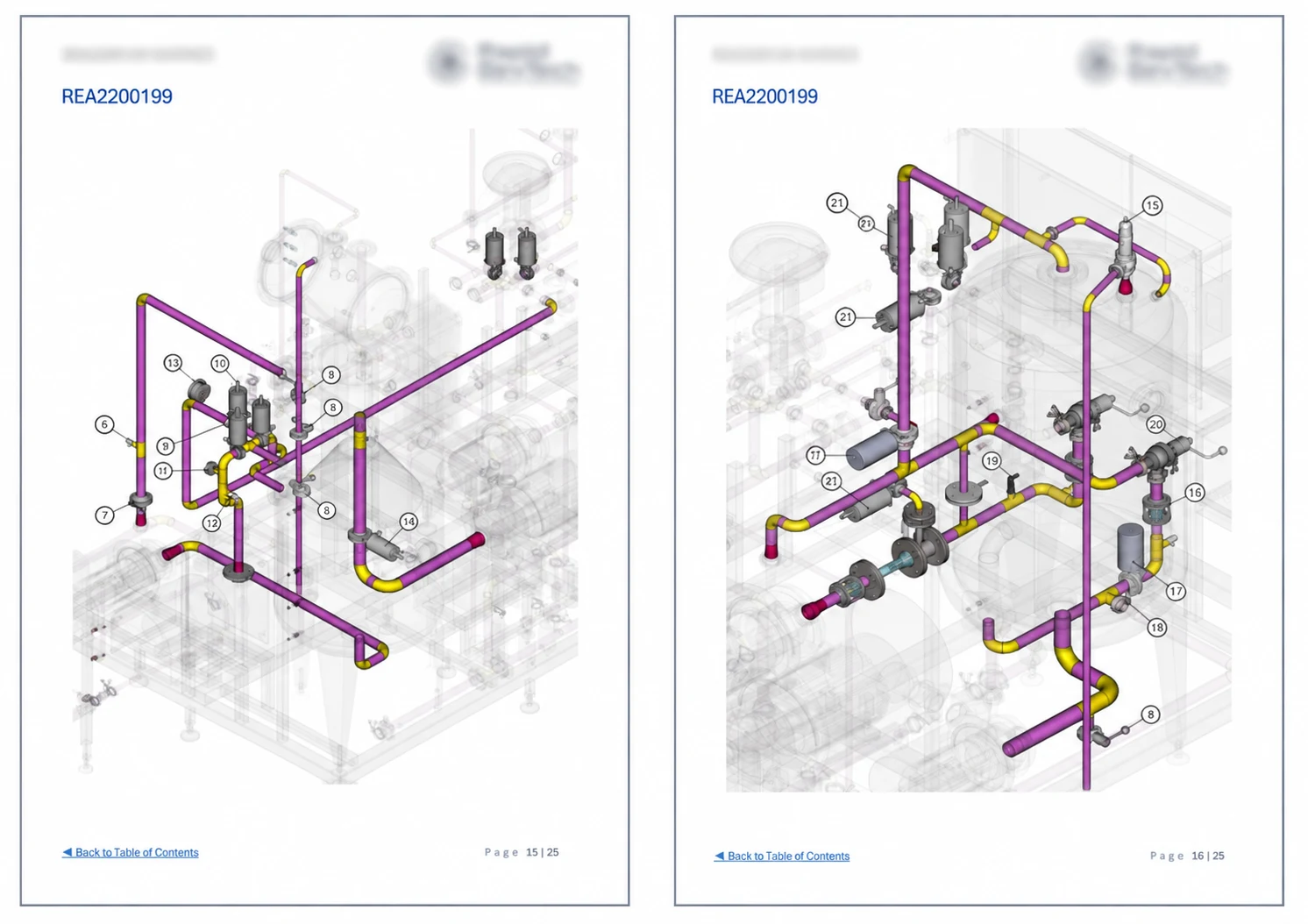
A technical illustration should have a specific communication purpose: identification, location, relationship or an approved sequence. Select the view, scale and level of detail for that purpose. Removing irrelevant geometry can improve clarity, but hiding a relevant relationship can mislead the reader. Keep labels consistent with the text and use line weight, contrast and spacing that remain readable in the final medium.
Prepare and check the work
Use approved CAD, photographs or source drawings and confirm permission to publish them. Identify the applicable configuration and revision. Check leader endpoints, callout overlap and the visibility of similar components. Include a legend where symbols need explanation and avoid relying on colour alone. Review the illustration beside the related text; an accurate picture with mismatched terminology can still create confusion.
Worked example · demonstration only
A cropped illustration removes the surrounding frame that distinguishes the left-hand from the right-hand assembly. Widen the view or add an approved orientation reference so the reader can locate the correct item. Do not use decorative detail in place of identification context.
Guided practice and review evidence
Use only a demonstration dataset for this exercise: Compare two views and explain which better identifies a serviceable component. Before starting, write down the question the finished record should answer and identify the source information you would need on a real job. Keep a separate list of missing inputs. Prepare a first draft, then compare it with the topic-specific checks above. Ask another person to follow your references without explaining them verbally. Record where they hesitate, what information they cannot locate and any different interpretation. Keep a brief review log with four columns: observation, proposed action, responsible reviewer and closure evidence. Revise the example and repeat the information-finding check. Your evidence of completion is the revised demonstration record plus that log, not simply time spent reading. Do not upload client information to the academy or practise on operating equipment.
What good completion looks like
A useful result can be understood by someone who did not prepare it. They can identify its purpose, applicable item, source and review status, and they can distinguish confirmed information from unresolved questions. Pay particular attention to this failure mode: Check configuration and orientation before reusing an old illustration. Check the output in the format the recipient will use. A native file, spreadsheet and exported PDF can expose different problems. Keep the source revision and the issued output linked, and record any limitations of the handover. On a real project, follow the customer's authorised checking and approval arrangements before the information is used. The knowledge check below tests understanding of this lesson; it does not assess practical competence or authorise regulated work.
Practical workflow
- Establish the source: identify the approved input, document revision and person responsible for its technical content. Record missing information as an open question.
- Prepare a small representative example before applying the approach to a whole project. Check identifiers, units, references and the intended reader’s needs.
- Ask the nominated reviewer to check technical meaning. Capture the response, resolve comments and issue only under the agreed document-control process.
Review checklist
- Can another reader identify the source and applicable revision?
- Are assumptions and unresolved decisions clearly recorded?
- Is there evidence of the required review before issue?
Educational material and demonstration examples. Not accredited training, practical competency assessment or authority to perform regulated work. Use current approved sources and your responsible technical authority on real projects.